How it fits together
One job, start to finish.
Each app hands its work to the next.
Scenes you write become strips on the schedule. Shoot days price the budget. The budget's crew fills the call sheet. Awarded VFX shots become a Tracker show, and its bills land in the cost report.
The whole suite on one page. Tap an app or an arrow.
Every solid arrow works in the apps today, and each card shows the clicks it takes. Dashed arrows arrive with Storyboard and Crew.
Every hand-off
Three chairs, one flow. Everyone works in their own app.
Directors, producers and post each have the apps for their part of the job. The hand-offs mean nobody types the same scene, name or number twice.
Directors
Write it, show it, win it
- ScriptScreenplays in standard format, with breakdown tags
- StoryboardFrames and shot lists from the director's idea
- TreatmentThe director's vision, sent as a private link
- PitchDecks you present live
Producers
Bid it, plan it, shoot it
- BudgetsCommercials, Film and TV
- VFX bidShot bids by department
- ScheduleStripboards and shoot days
- CrewComingYour address book and hiring desk
- Call SheetsThe day, on every phone
Post and VFX
Track it, deliver it, close the books
- Cost reportActuals against the locked bid
- TrackerEvery shot from award to delivery
Follow a job through. Three real paths, step by step.
For directors and commercial producers
A commercial, from treatment to wrap
- 1
Script to Treatment
In a treatment, choose Script to pages. Pick a screenplay from Script, or paste an agency script.
- 2
Treatment to Pitch
Open the job in Pitch. Choose Make a deck from the treatment.
- 3
Schedule to Call Sheets
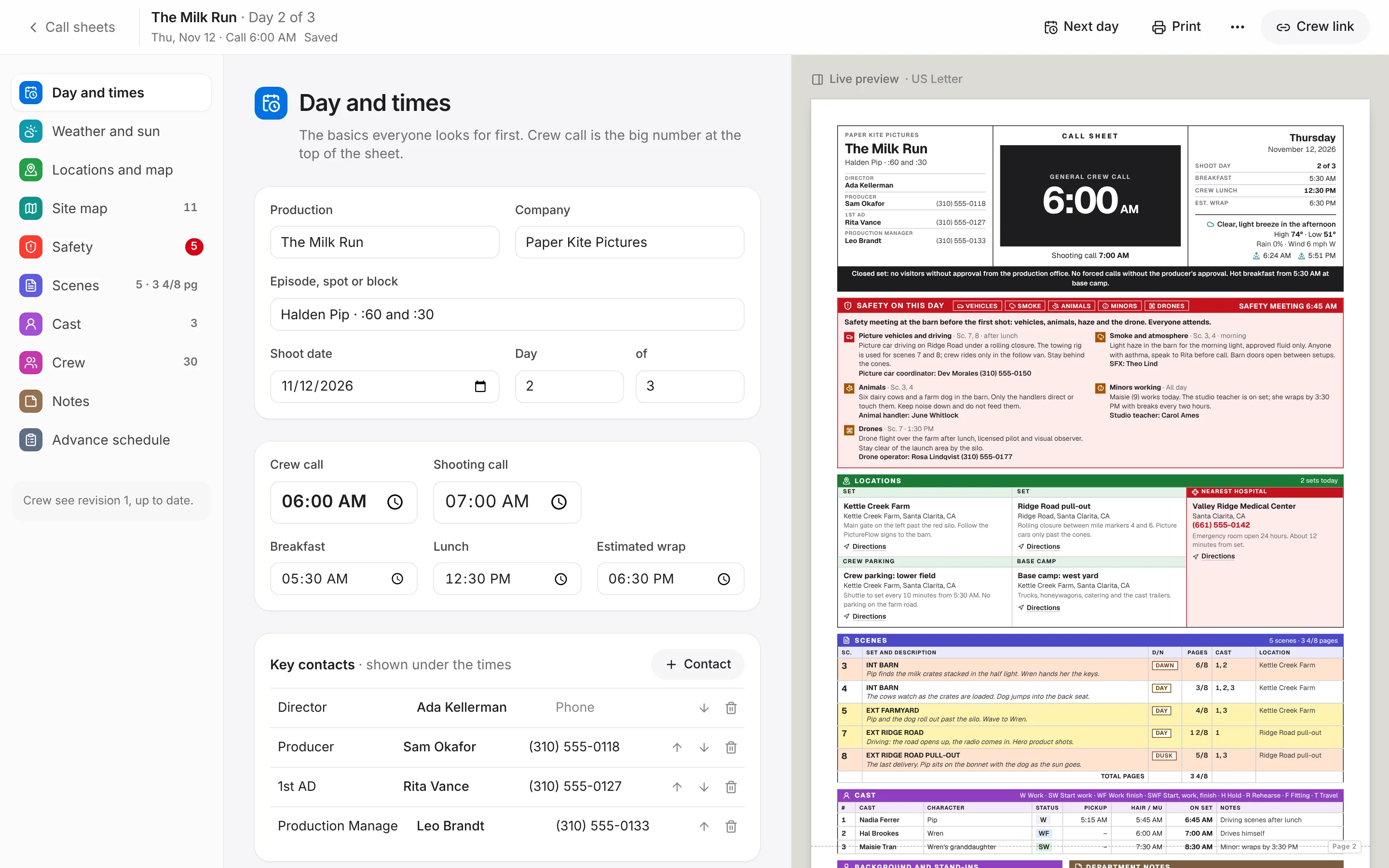
In Schedule, pick a shoot day and press Make call sheet. Scenes, cast, sets, calls and the advance schedule are filled in.
- 4
Budgets to Call Sheets
In a call sheet, open the crew list and choose Crew from a budget. Positions and names come across from the shooting-crew lines.
For line producers and ADs
A feature, from script to call sheet
- 1
Script to Schedule
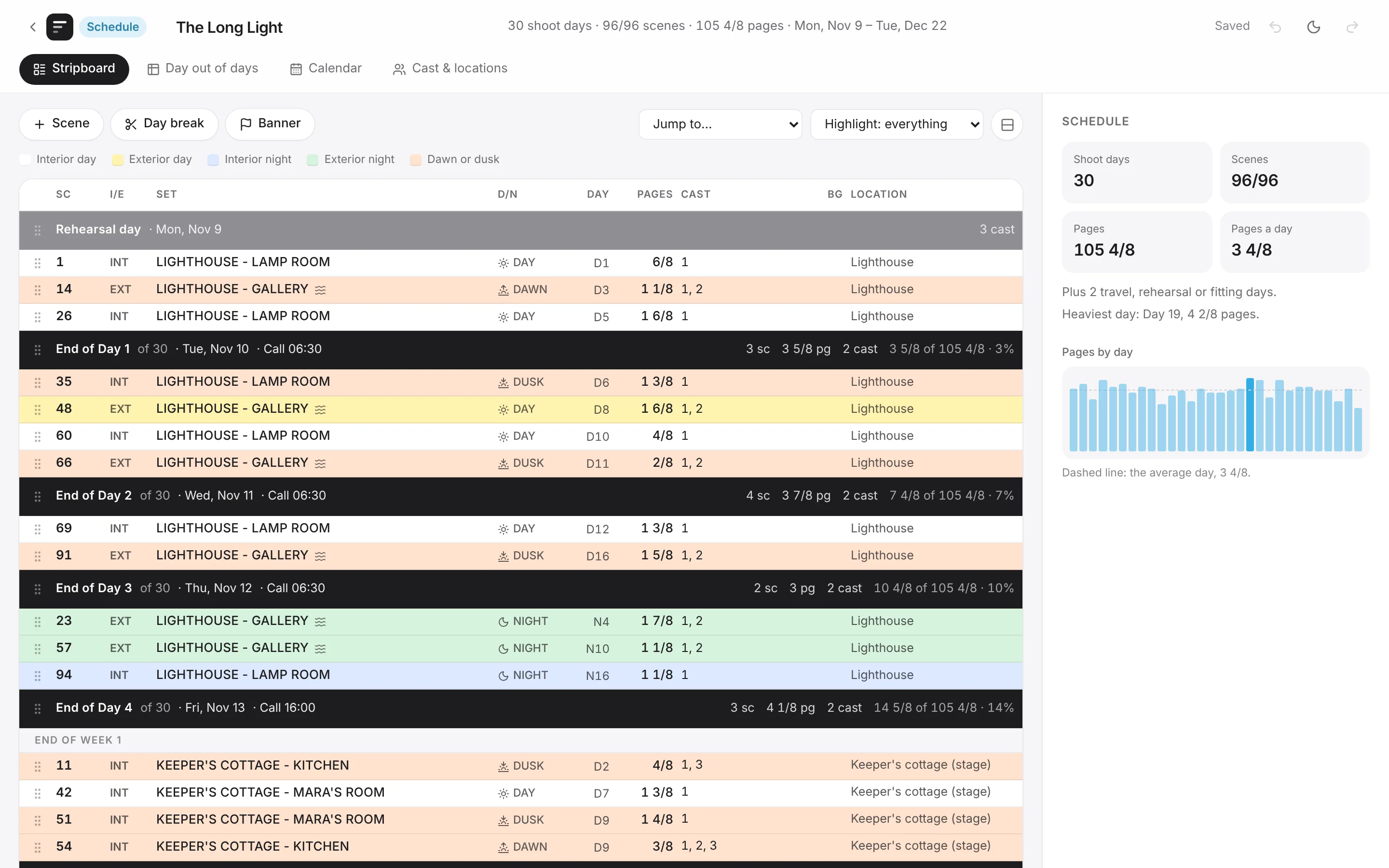
In Schedule, start a new schedule and choose Scenes from a script. Pick the script. Every scene arrives as a strip with its pages, cast and day or night.
- 2
Schedule to Budgets
In a budget, choose Day counts from a schedule. Pick the schedule. Shoot days and each cast member's days become the budget's day counts.
- 3
Schedule to Call Sheets
In Schedule, pick a shoot day and press Make call sheet. Scenes, cast, sets, calls and the advance schedule are filled in.
- 4
Budgets to Call Sheets
In a call sheet, open the crew list and choose Crew from a budget. Positions and names come across from the shooting-crew lines.
For VFX producers and studios
A VFX show, from bid to delivery
- 1
Script to VFX bid
Tag the effects in Script's breakdown. In the VFX bid, choose Shots from a script.
- 2
VFX bid to Budgets
Connect the VFX bid to the production budget. Its total sits on the budget's VFX line.
- 3
VFX bid to Tracker
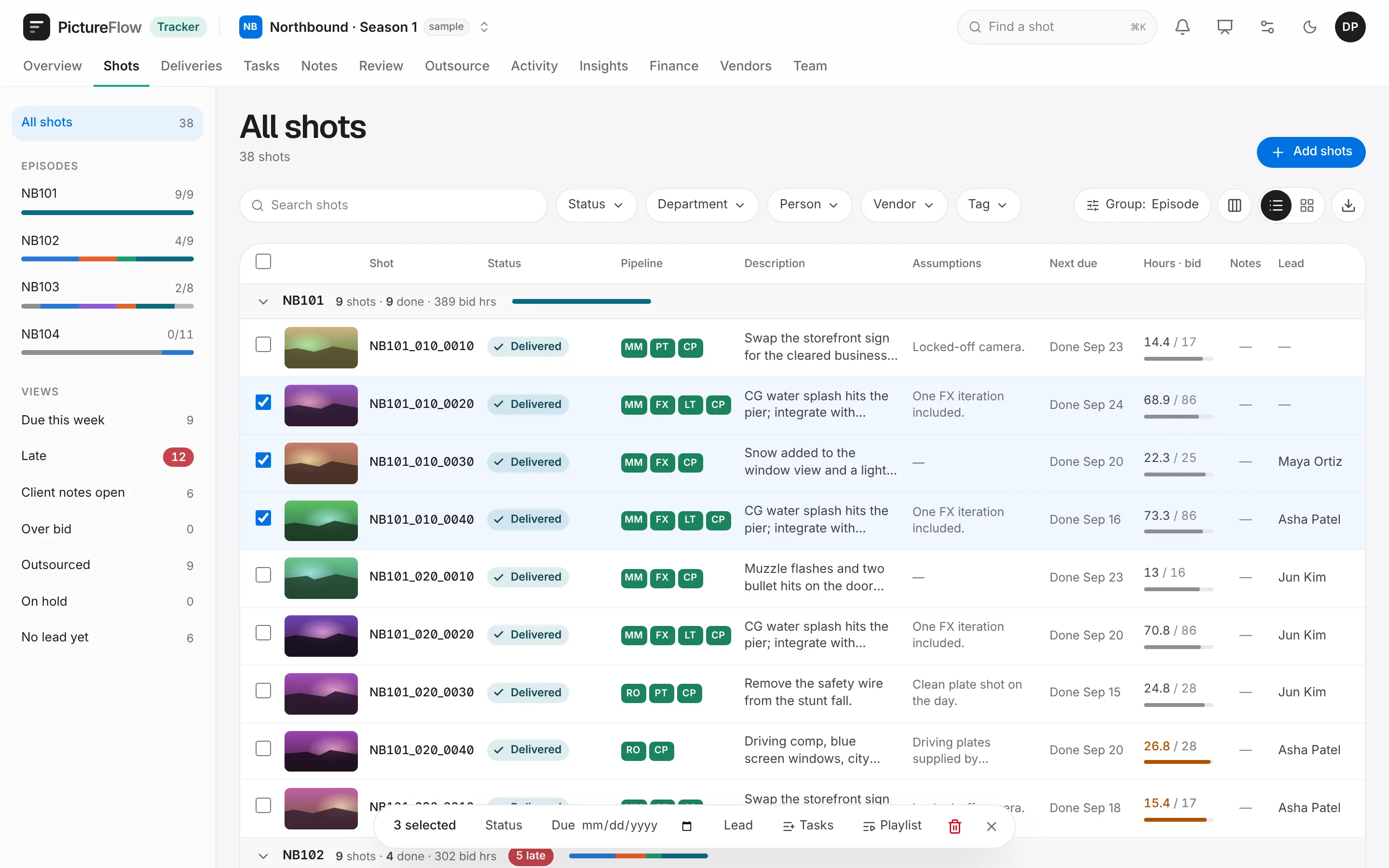
Open an awarded VFX bid and choose Send to Tracker. Shots, bid hours and one task per department arrive in a Tracker show.
- 4
Tracker to Cost report
In the cost report, choose VFX costs from Tracker. Pick the show and the budget account it belongs to.
Connected, not tangled.
Hand-offs are suggestions you accept. They never change someone else's work behind their back.
Run it again, safely
Bring scenes in again after a rewrite, or send a bid to Tracker a second time. Things update in place. Nothing doubles, and nothing you placed by hand is moved.
Every hand-off can be undone
Day counts into a budget and VFX costs into a cost report arrive as one change, so a single Undo takes them back.
Money stays where it belongs
A call sheet takes names and positions from a budget, never rates. Tracker's costs reach a cost report only through someone who can see that show's money.